

Thorough diagnosis, efficient repairs
I use a comprehensive diagnostic toolkit to check your computer’s hardware, software and system errors. It brings together a wide range of tools and gathers technical information that would take much longer to check manually, helping me identify problems and choose the right repair.
Help when Windows won’t start or you can’t sign in
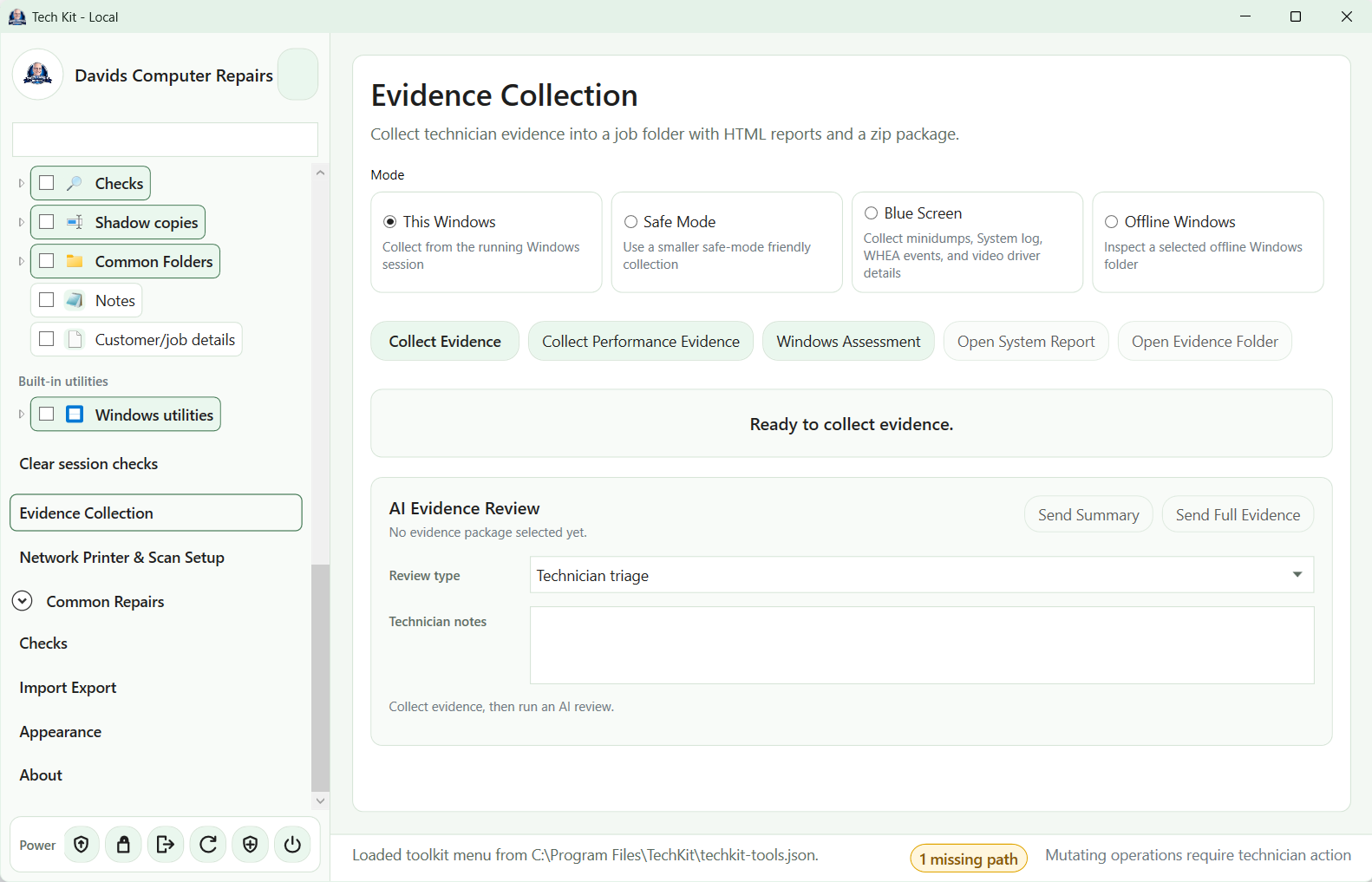
Diagnostic checks can also help when Windows won’t start normally, a computer keeps showing blue screens, or you can’t sign in. Where the Windows installation and drive remain accessible, I can inspect technical information without relying on a normal Windows session.
Safe Mode and offline Windows checks provide different ways to investigate startup problems. Blue-screen checks help me examine crash information and look for clues about hardware, drivers or Windows errors.
Understanding what is slowing your computer down
For slow computers, performance checks help identify what is holding the machine back and whether maintenance, repairs or a hardware upgrade would make a worthwhile difference.
I look at the diagnostic results alongside the symptoms you describe, then explain the practical options. Read more about slow computer repairs and SSD upgrades.
A wide range of tools in one place
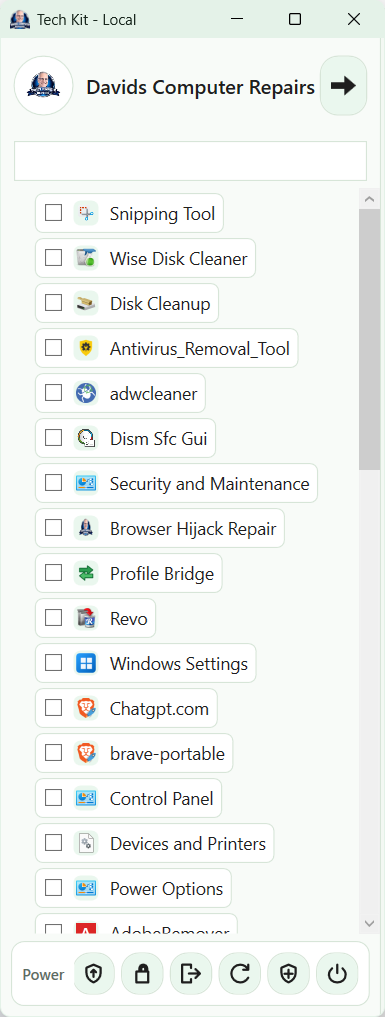
The toolkit brings together diagnostic checks, Windows utilities and repair tools so I can quickly choose the checks relevant to your problem. Collecting the technical details efficiently leaves more time to investigate the cause and work on the repair.
AI-assisted analysis, with my judgement
Where useful, AI-assisted analysis helps me interpret the diagnostic results. I review the findings and decide what action to take.
Respect for your privacy
The diagnostic tools are designed to avoid collecting saved passwords, bookmarks, licence keys or the contents of personal documents. I review diagnostic information before choosing what to share for AI-assisted analysis.
Tools I’ve developed to help with repairs
Alongside established repair utilities, I’ve developed dedicated Windows tools for problems I encounter during customer visits. These help me investigate issues, review changes and carry out targeted repairs efficiently.
Browser Hijack Repair
Helps investigate unwanted browser changes, suspicious extensions, scam notification pop-ups and remote-control software that may be running unnoticed. It supports targeted browser repairs, with backups and undo options.
Windows Settings
Brings useful Windows settings and setup checks together in one place. It helps me review privacy options, unwanted recommendations, power settings and everyday usability without working through numerous separate menus.
Adobe Remover
Finds and cleans up selected Adobe Reader leftovers after a normal uninstall, including background update components and browser integrations. It checks for other Adobe products before allowing cleanup to help avoid disrupting software you still use.
Space Map
Helps identify large files and the folders containing them, making it easier to understand where disk space has gone and discuss what can be moved or removed.
Talk to me about your computer problem
Tell me what is happening and your suburb, and I can discuss the next step. I provide mobile on-site help across Brisbane Southside, Logan, Browns Plains, Ipswich and Bayside.
