
Your toolkit, your choice
Build your toolkit
Bring the utilities you rely on into TechKit and arrange them in the order you use them.
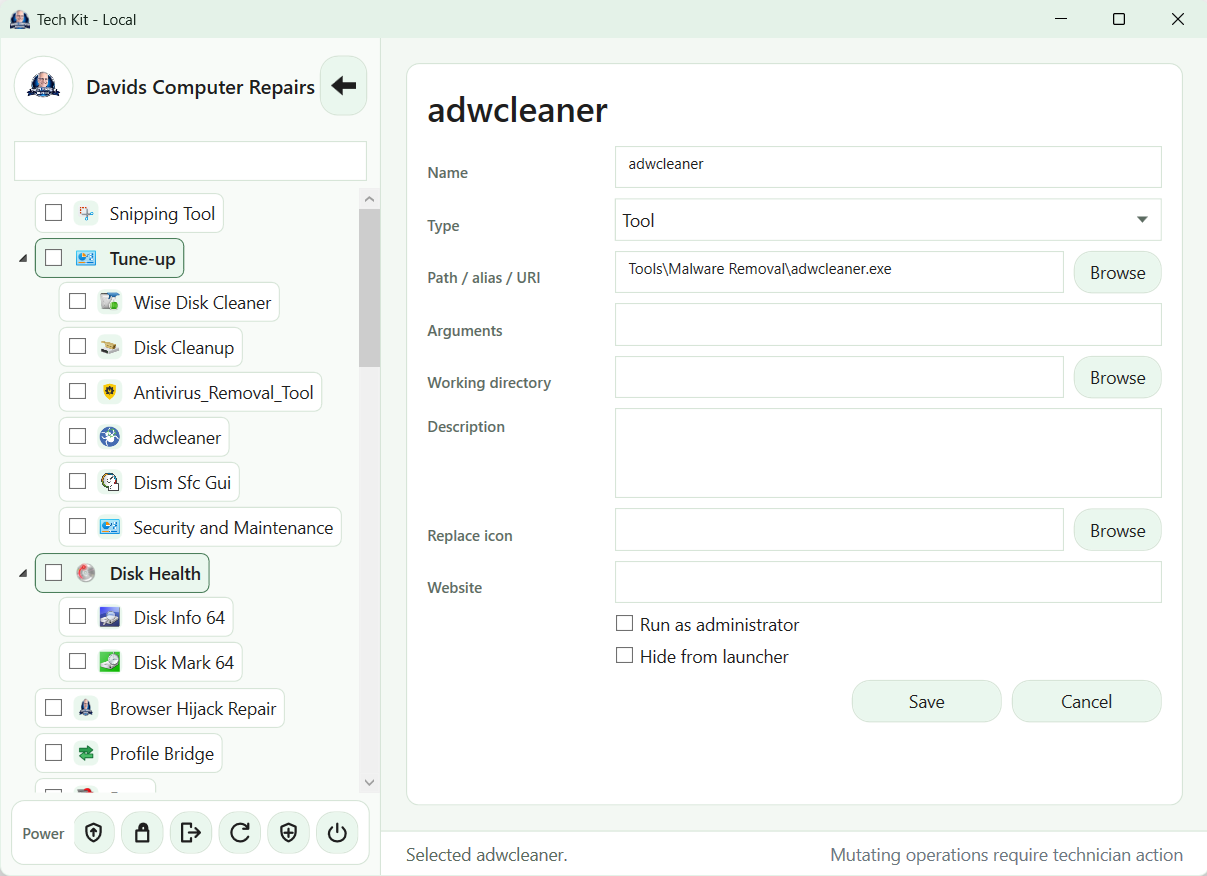
TechKit ships without third-party utilities. Choose your tools, obtain them from their publishers and add launcher entries for your setup.
Start with your everyday tools
- Choose the utilities you use regularly for customer work.
- Obtain them from the publisher and check the terms for your intended technician and portable use.
- Add them to the TechKit launcher and organise the entries around your workflow.
- Check paths and launch behaviour on your local or USB toolkit before a customer visit.
Some utilities need installation, administrator permission, a separate licence or internet access. Use portable copies only where the utility supports them.
Find tools and move your setup
Use the launcher search box to find your utilities and related built-in workflows. When maintaining local and USB toolkits, choose a source and destination in Update / Clone TechKit and review the changes before confirming. The destination menu is replaced; extra destination files are kept.
See search in action · See local and USB toolkit updates · Customise business branding and appearance
David’s current utility list
The personal utility list and publisher links will be added after David confirms the selection. No third-party utilities are bundled or available to download here.
The screenshot shows the current utility editor. Detailed launcher setup instructions will follow the final release interface.